AI Prompt Rewriters: How to Automate Prompt Engineering and Improve Output Quality
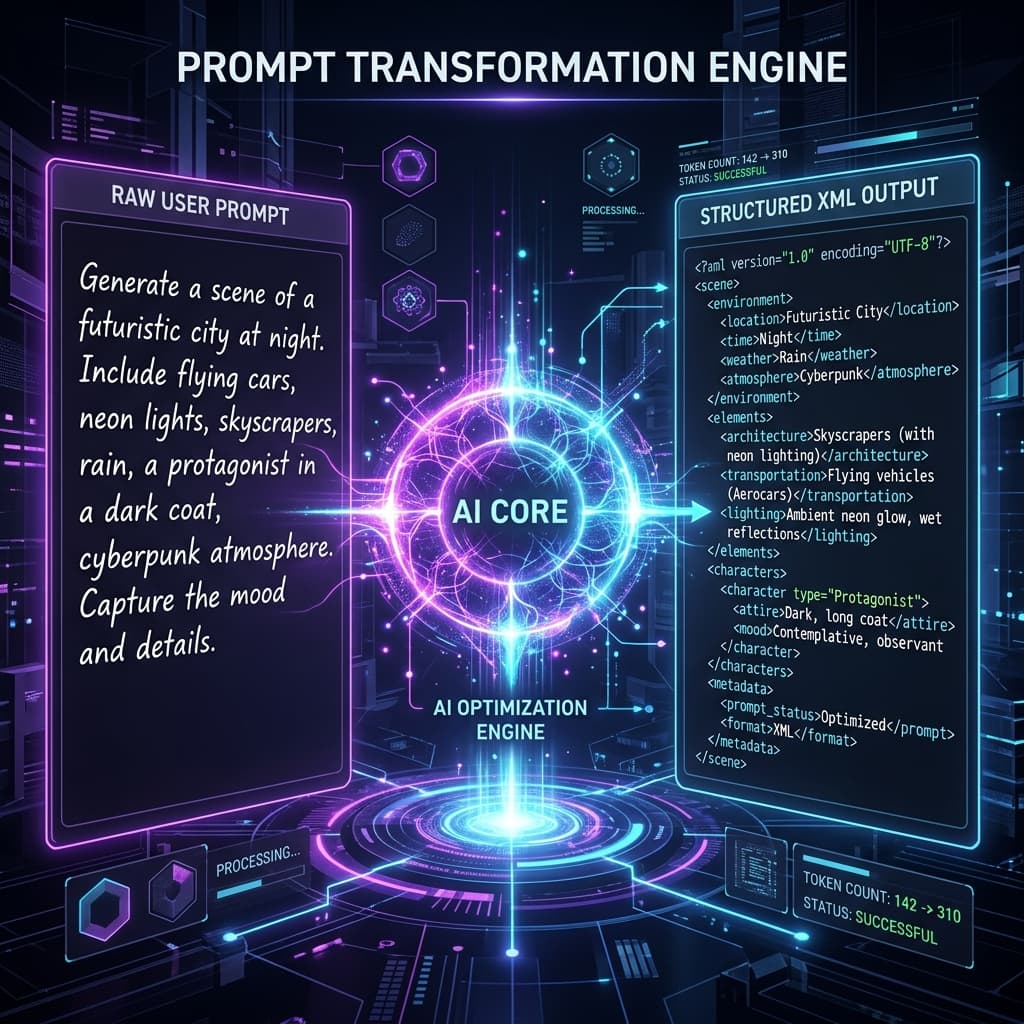
Quick Answer: Vague, two-word queries (e.g. "write an email") force AI models to guess your intent, producing generic, low-signal answers. An AI Prompt Rewriter automates prompt engineering using a technique called metaprompting—directing an LLM to expand your raw draft by adding an expert persona, defining target audiences, introducing formatting schemas (such as XML boundaries), and enforcing strict negative constraints (what to avoid).
If you have ever used a Large Language Model (LLM) and felt the output sounded robotic, generic, or off-topic, the bottleneck was likely the input. Models default to the average of their massive datasets when they lack explicit context. (To learn why this happens and how to resolve it, check out our guide on why ChatGPT gives generic answers).
Rather than spending hours learning manual prompt engineering techniques, developers and creators are turning to automated AI Prompt Rewriters and Prompt Improvers.
Here is how these automated systems work under the hood and how to utilize them to maximize output quality.
1. What is Metaprompting? (The Core Engine)
Behind every professional prompt generator is a concept called metaprompting.
A metaprompt is simply a high-level system instruction sheet that teaches an LLM how to write a good prompt. When you submit a rough idea (e.g., "write a blog outline about next.js"), the metaprompt directs the model to analyze your intent and construct a structured template.
An effective metaprompt or automated prompt engineering framework acts as a prompt refiner, enforcing a strict architectural progression:
- Intent Extraction: Mapping the user's final goal to explicit outputs.
- Role Allocation: Who is the expert model pretending to be? (e.g. B2B Growth Marketer, React Architect).
- Context Layering & In-Context Learning (ICL): What audience background, style patterns, or few-shot examples are required to prime the model's in-context memory?
- Reasoning Priming: Triggering Chain-of-Thought (CoT) paths to ensure step-by-step logic before returning the final solution.
- Delimiter Construction: Structuring instructions and variables using XML tags.
- Negative Constraint Injection: Listing typical robotic jargon and filler phrases to avoid.
2. Anatomy of an Automated Prompt Rewrite
Let's look at how a basic input is transformed by a prompt improver:
❌ The Raw Input
"Write a cold email to promote a CRM software."
This input contains no persona, no target audience description, no pricing details, and no length constraints. The AI will output a long, salesy email filled with hype.
The Rewritten Output (Automated)
You are an elite B2B sales copywriter specializing in direct-response outreach. Write a personalized cold email promoting "[CRM Software]" targeting [Sales Directors] at [Mid-Market SaaS Companies].

<context>
- Key Pain Point: Sales teams wasting hours copy-pasting customer details from emails into old databases.
- The Offer: A lightweight browser integration that automates profile creation in 5 seconds.
- Tone: Peer-to-peer, professional, consultative, and zero-hype.
</context>

<constraints>
- Word Count: Strictly under 110 words.
- Opening: Start directly with a relevant business observation. Avoid greetings like "Hope this email finds you well."
- Salesy Words to Ban: "revolutionary", "groundbreaking", "guaranteed", "next-level", "delve".
- Call to Action: End with a low-pressure question: "Are you open to a brief reply, or should I check back next quarter?"
</constraints>
The rewritten prompt provides explicit boundaries and structure, guaranteeing a high-signal response on the first try. Note that a high-quality prompt rewriter leaves specific variables open using bracket placeholders like [CRM Software]. This transforms your raw query into a highly reusable, dynamic template rather than a rigid one-off instruction block, allowing you to easily swap inputs for different products or campaigns.
3. Black-Box Rewriters vs. Interactive Prompt Enhancers
In modern LLM workflows, automated prompt optimization comes in different architectures. By 2026, major model providers (ChatGPT, Claude, and Gemini) include native "Enhance Prompt" or magic wand buttons directly in their chat windows.
However, these native enhancers are typical "Black-Box" tools. They are locked to a single model provider's UI, lack customization, and often generate verbose, generic text that inflates your API input token bills.
To choose the right approach for your workspace, consider how native/black-box expanders compare to dedicated interactive enhancers:
| Feature | Native / Black-Box Expanders | Interactive Enhancers (PromptBuff) |
|---|---|---|
| Control | Hidden algorithm; static output | User-defined tone, audience, & target |
| Token Cost | Often verbose; inflates API bills | Optimized, lean, and concise schemas |
| Portability | Locked to a single UI platform | Multi-model optimization (Claude, GPT, Gemini) |
| Reusability | One-off generations | Dynamic bracket variables ([bracket]) |
For custom application pipelines and programmatic workflows, developers use frameworks like DSPy to programmatically compile and optimize prompts based on dataset assertions rather than manual guessing. Read our comparison of DSPy vs. Manual Prompt Engineering to see when to automate prompt compilation in production code.
4. How to Write a Prompt for Prompt Rewriting
If you want to build your own local prompt improver inside ChatGPT or Claude, paste this metaprompt to ground the model:
You are an expert Prompt Engineer. Your task is to rewrite the raw user query inside <user_draft> into an optimized, structured prompt.

Follow these rules:
1. Assign a specific, high-authority expert role to the target LLM.
2. Outline clear context, audience profiles, and goals.
3. Group instructions and background data using XML tags.
4. Define positive style guidelines and strict negative constraints.
5. Keep the final prompt concise; avoid verbose, repetitive fluff.

<user_draft>
[Insert user draft here]
</user_draft>
Unlock Professional-Grade Prompts Natively
Automating prompt engineering saves hours of manual iteration.
At PromptBuff, our interactive Prompt Enhancer Tool takes your raw drafts and refines them using optimized metaprompting layers. With custom presets for tone, structure, and model compatibility, you can generate flawless prompts that work natively across ChatGPT, Claude, and Gemini under a single subscription.
Stop battling generic AI outputs. Sign up for PromptBuff.app and optimize your prompting workflow today.
Continue reading: DSPy vs. Manual Prompt Engineering: Is Prompting Dead? · Why ChatGPT Gives Generic Answers and How to Fix It
Frequently Asked Questions (FAQ)
What is an AI prompt rewriter?
An AI prompt rewriter is a tool that automatically transforms short, vague inputs into detailed, structured instructions. By analyzing your intent, it injects expert personas, audience contexts, clear deliverables, and negative constraints to maximize LLM performance.
What is metaprompting?
Metaprompting is the practice of instructing an LLM to generate, refine, or evaluate other prompts. It acts as the algorithmic backbone for automated prompt improvers, custom prompt generators, and programmatic prompt engineering frameworks.
What is the difference between a black-box rewriter and an interactive enhancer?
Black-box rewriters generate expanded instructions automatically without user input, whereas interactive enhancers let you customize parameters. With interactive tools like PromptBuff, you retain control over tone, target platforms, constraints, and dynamic placeholders.
Does rewriting prompts improve output accuracy?
Yes, absolutely. Standard model defaults produce generic replies based on training averages, whereas rewritten prompts establish clear constraints, reasoning frameworks (like Chain-of-Thought), and data boundaries (like XML tags) to reduce hallucinations.